

 India
India NRI
NRI
How can I apply for an IPO: Ring Mobile App?
Step 1: Open the RING mobile app and click on 'Investing' to begin the process
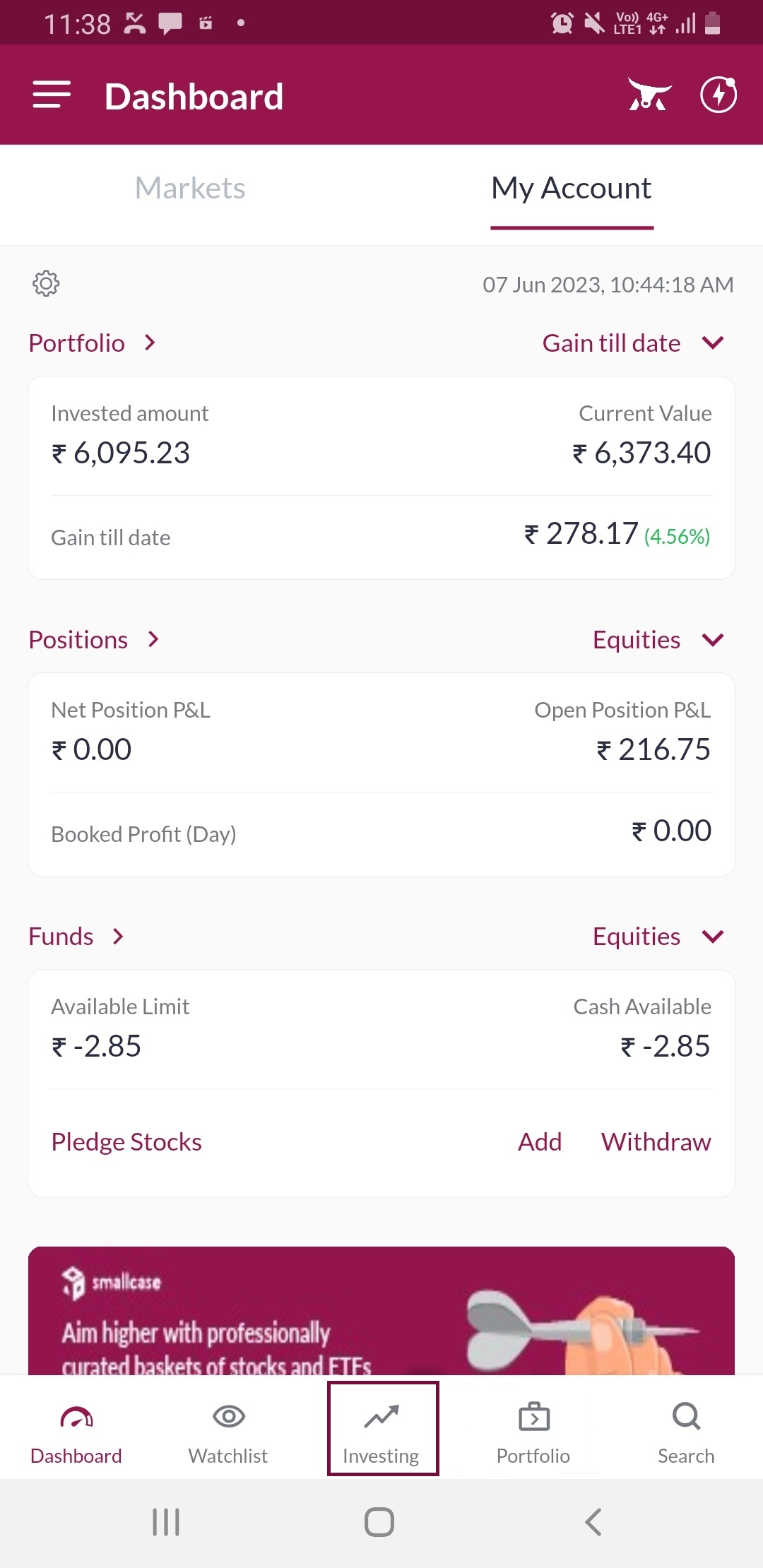
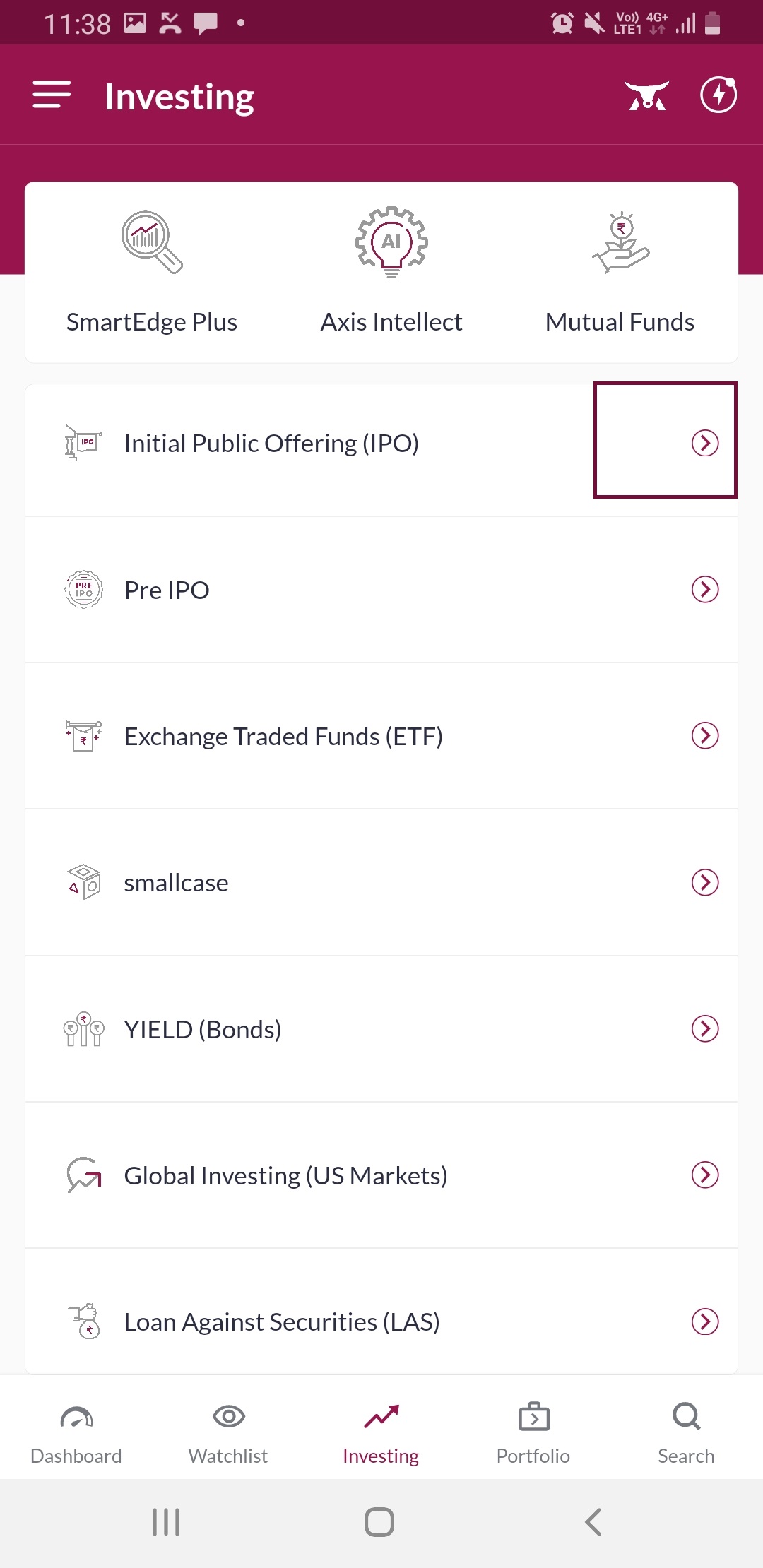
Step 2: Click on the arrow icon next to 'Initial Public Offering (IPO)'
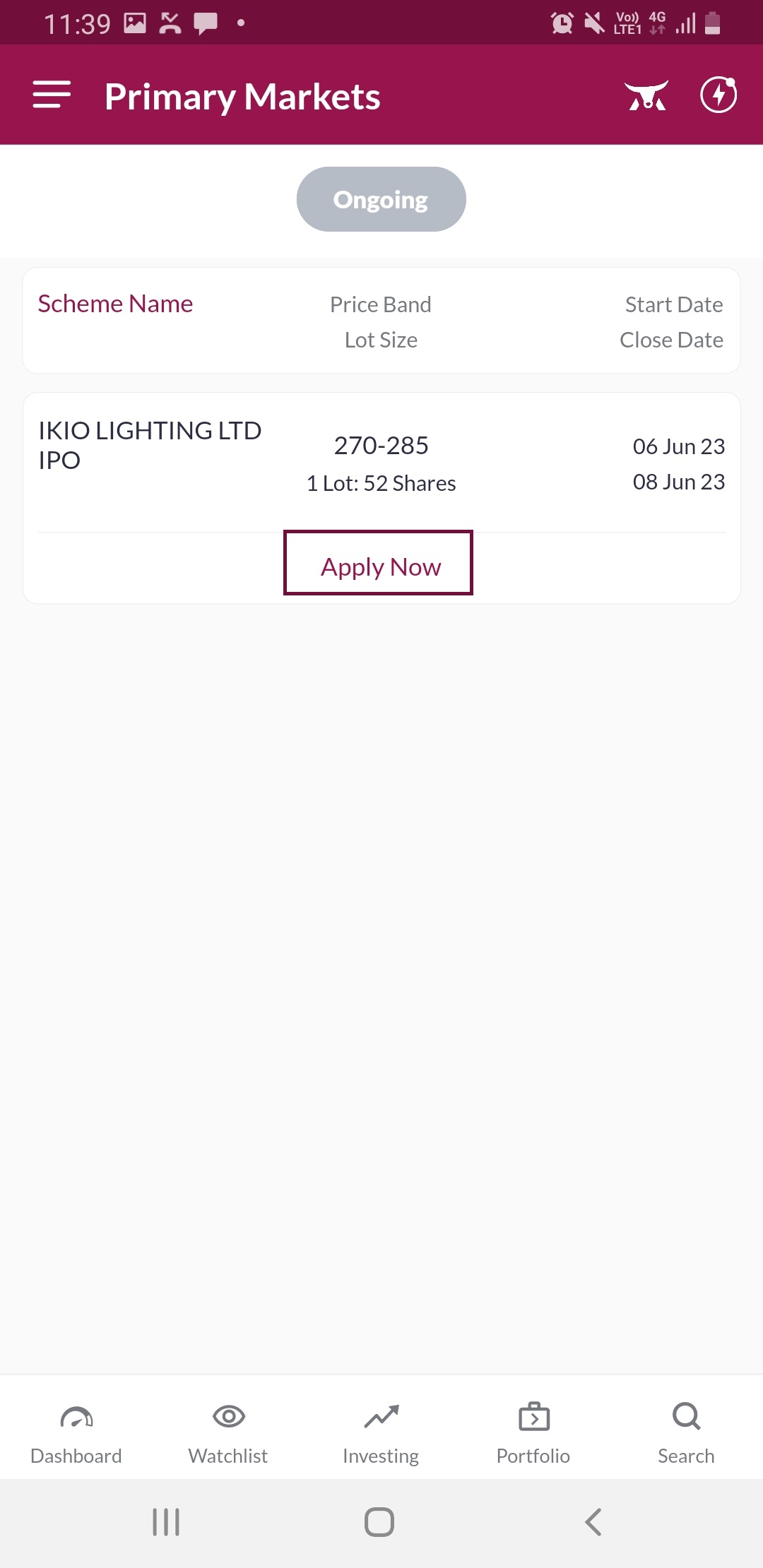
Step 3: All the IPOs available to apply will be visible on the screen click on the 'Apply Now' tab below the desired IPO
Step 4: Click the dropdown next to 'Category' type to select the Investor Category; you can also change the payment mode to UPI from ASBA
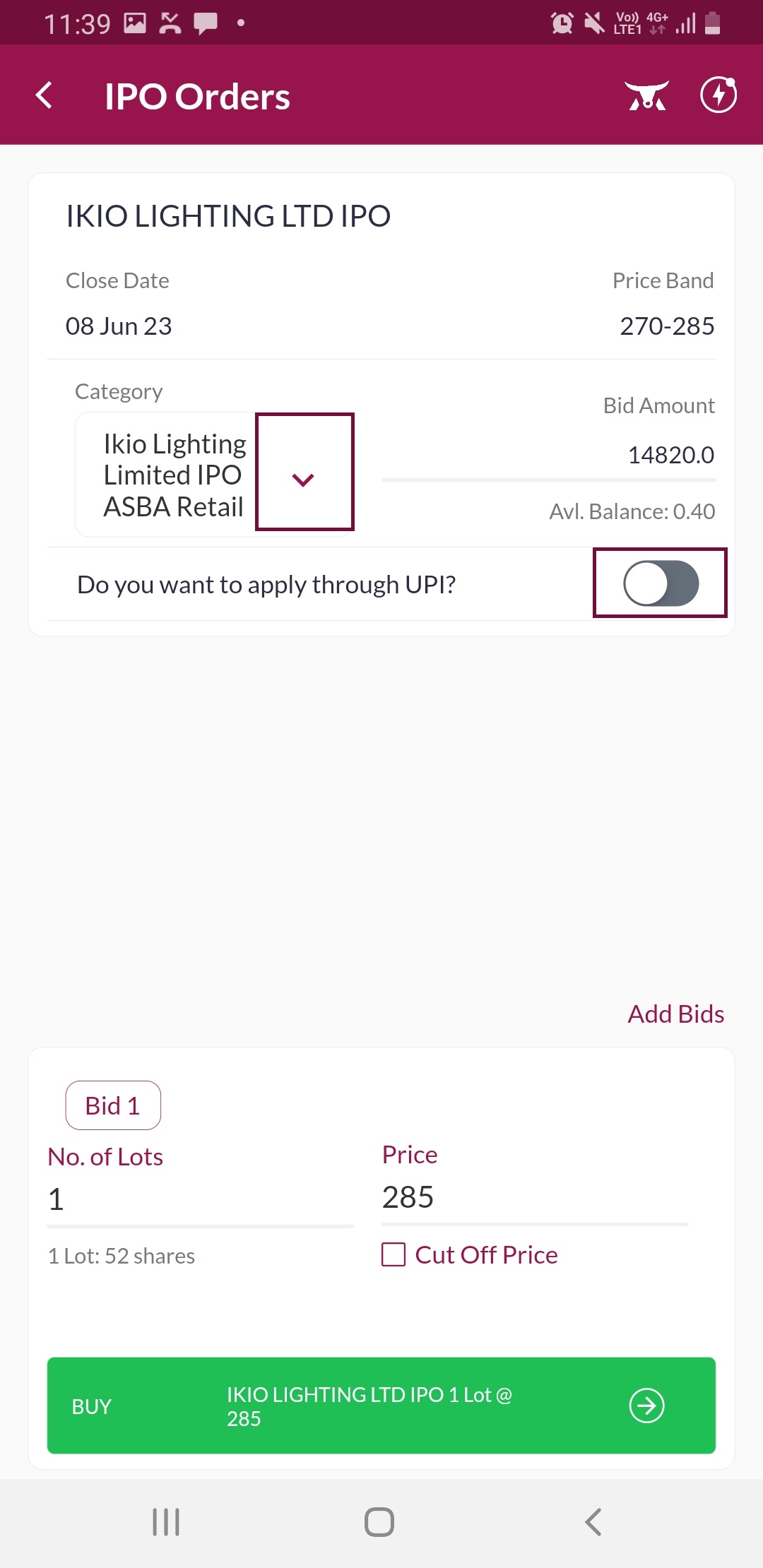
Step 5: Retail: Investments below 2lacs HNI: Investments above 2lac
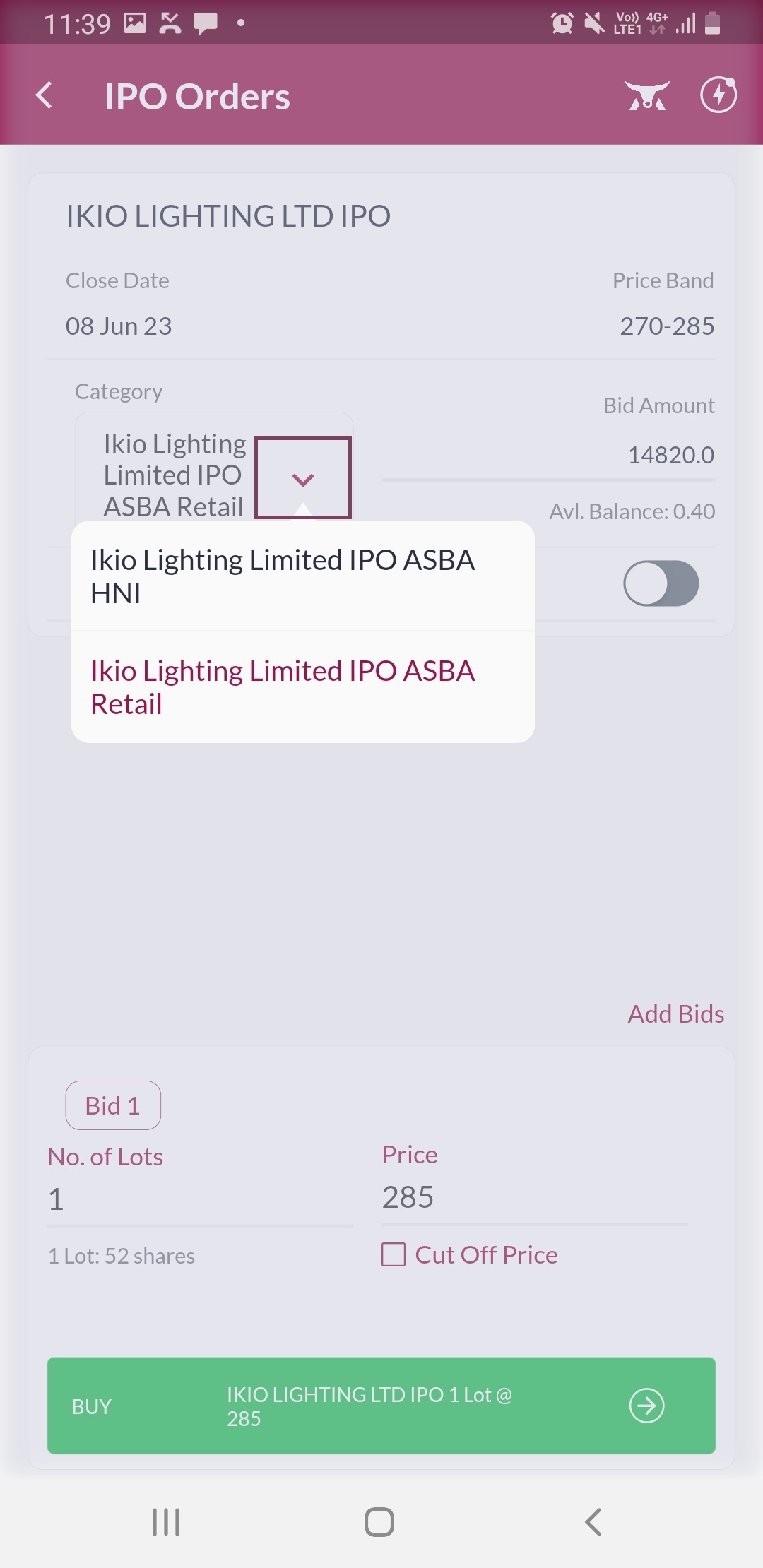
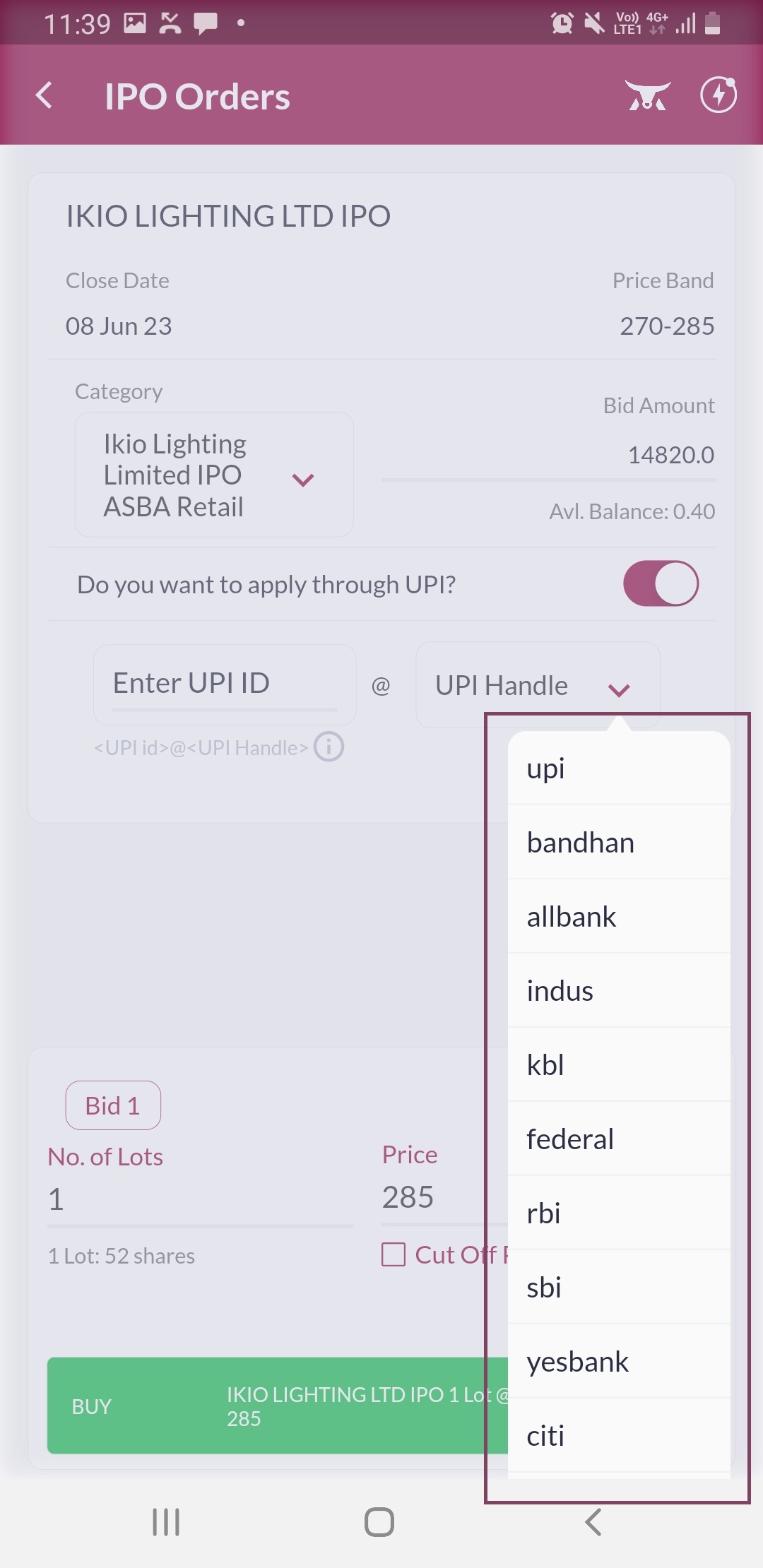
Step 6: For UPI payments after selecting UPI enter the UPI ID and select the applicable UPI handle
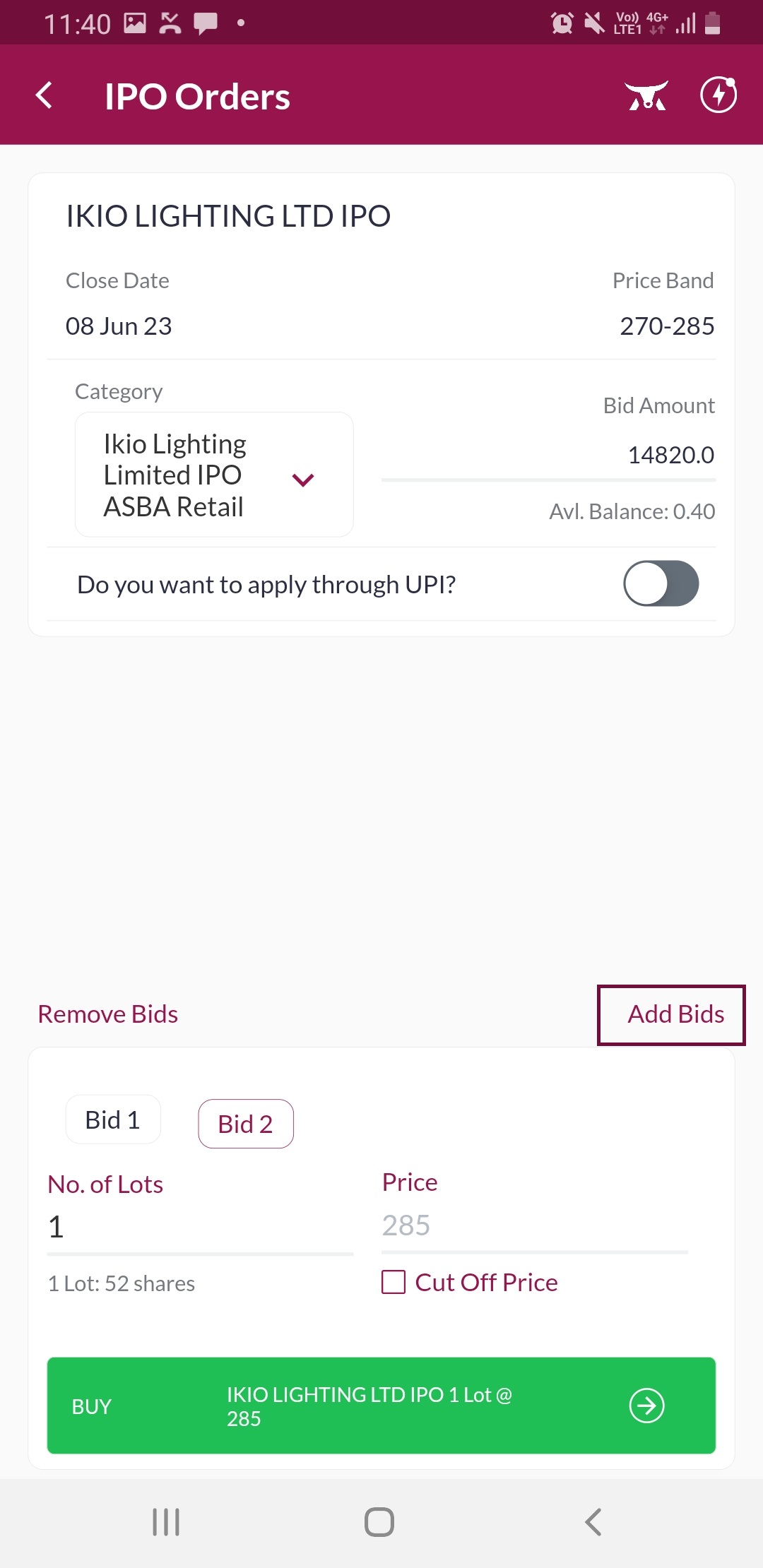
Step 7: You can also add multiple bids by clicking on the 'Add Funds' link
Step 8: Check the order details and click on the 'Confirm' tab to proceed' link
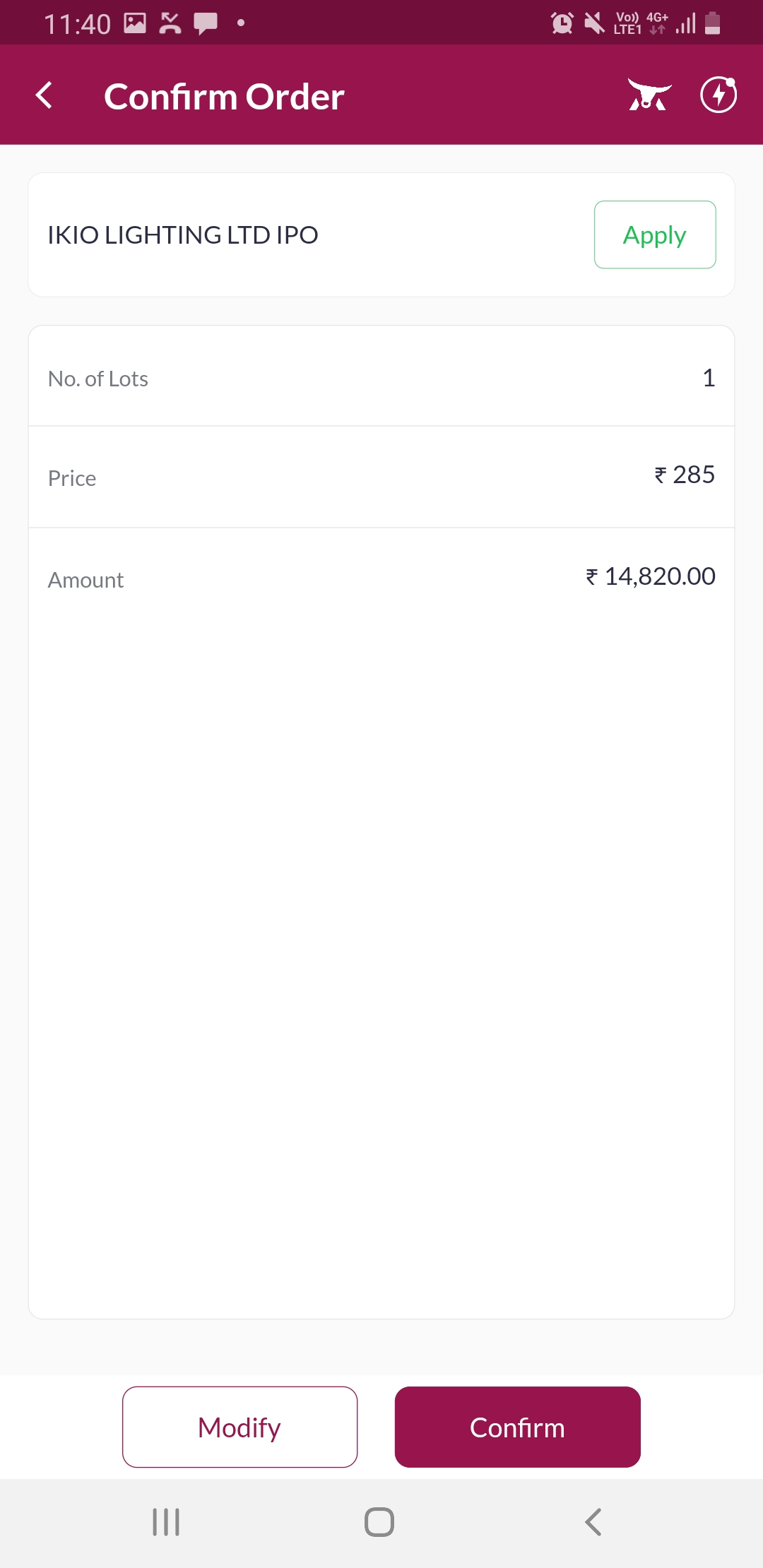
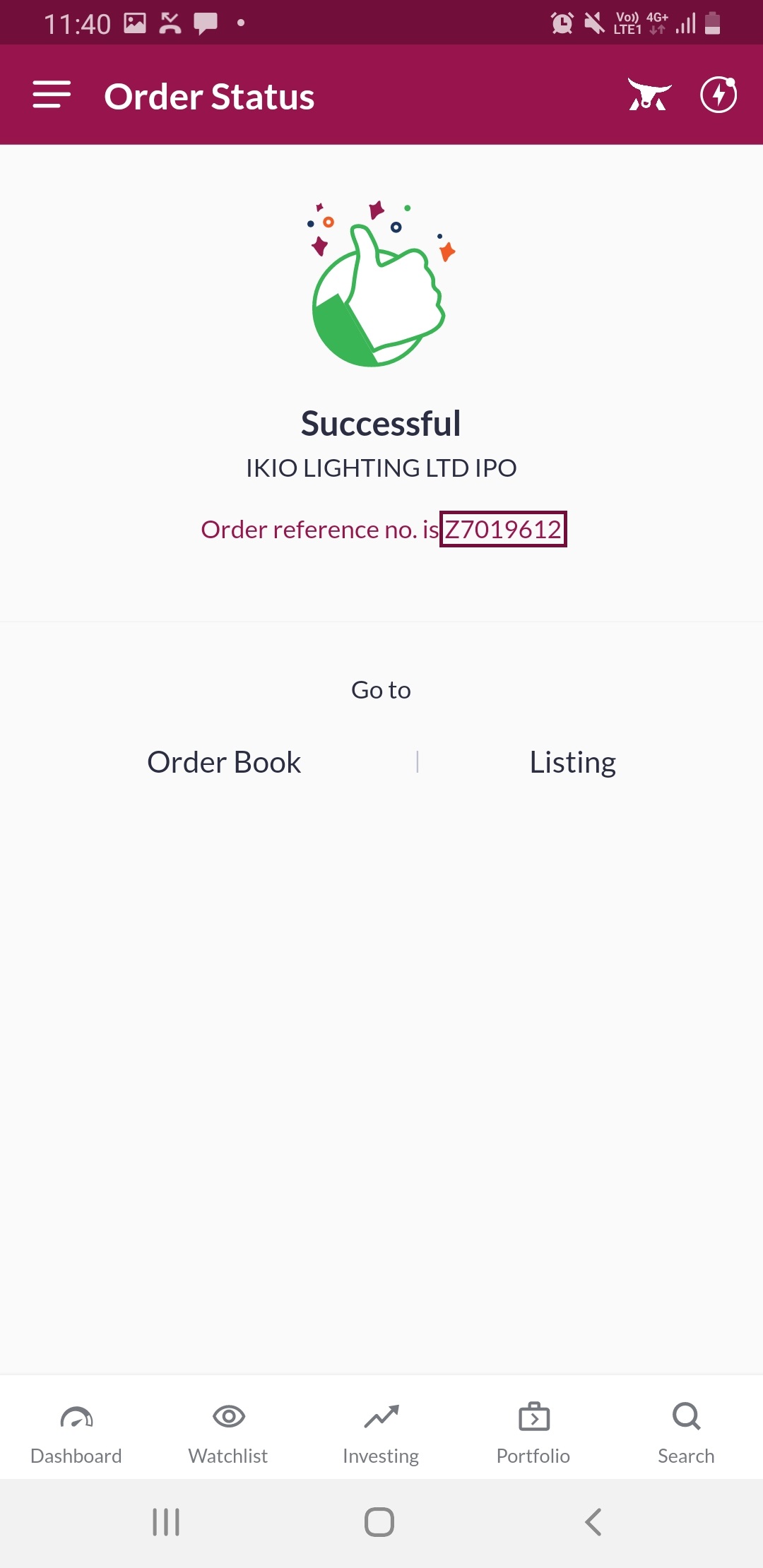
Step 9: Your order is successfully placed, please make a note of the application number for further reference
Click Here to download a document on this process.
END