

 India
India NRI
NRI
How to unlock your account?
Using Swift Trade :
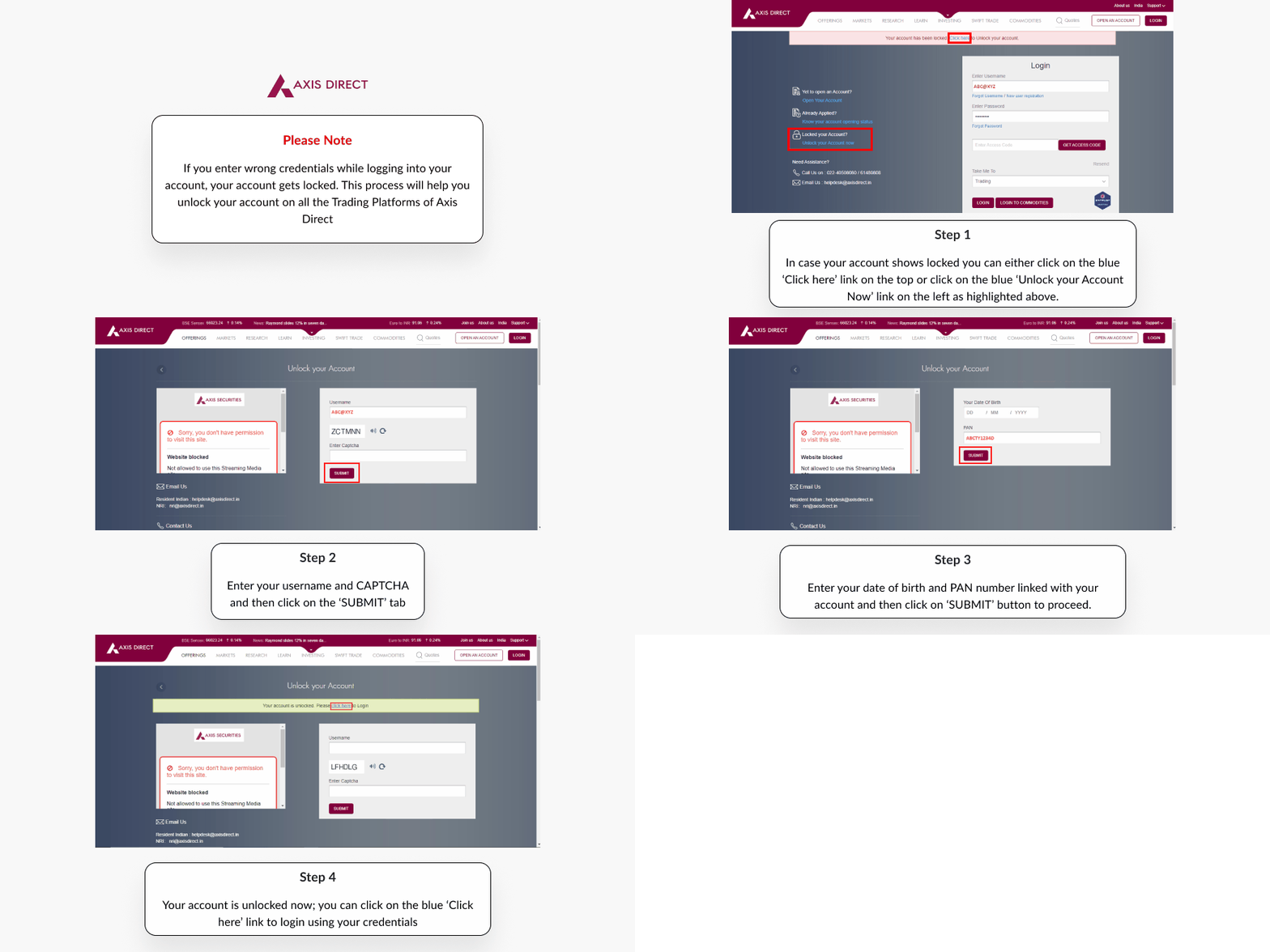
Step 1: Click Here to login to your account, in case your account shows locked you can either click on the blue ‘Click here’ link on the top or click on the blue ‘Unlock your Account Now’ link on the left
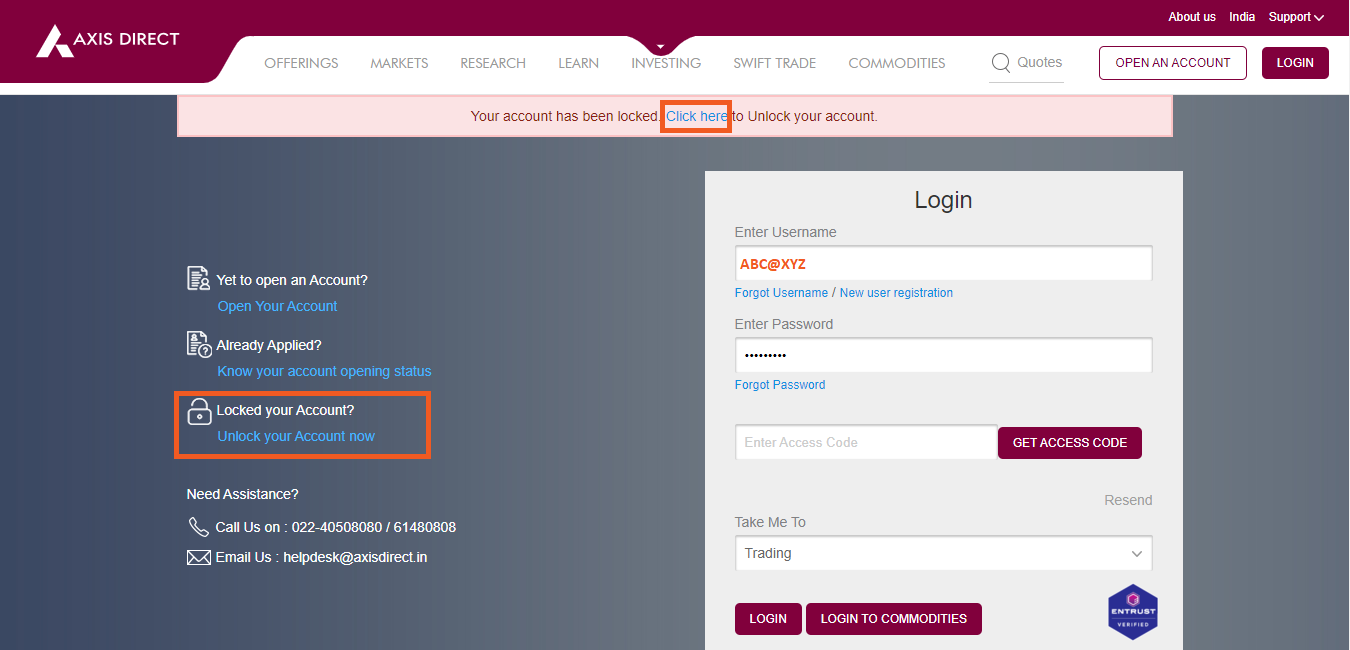
Step 2: Enter your username and CAPTCHA and then click on the ‘SUBMIT’ tab
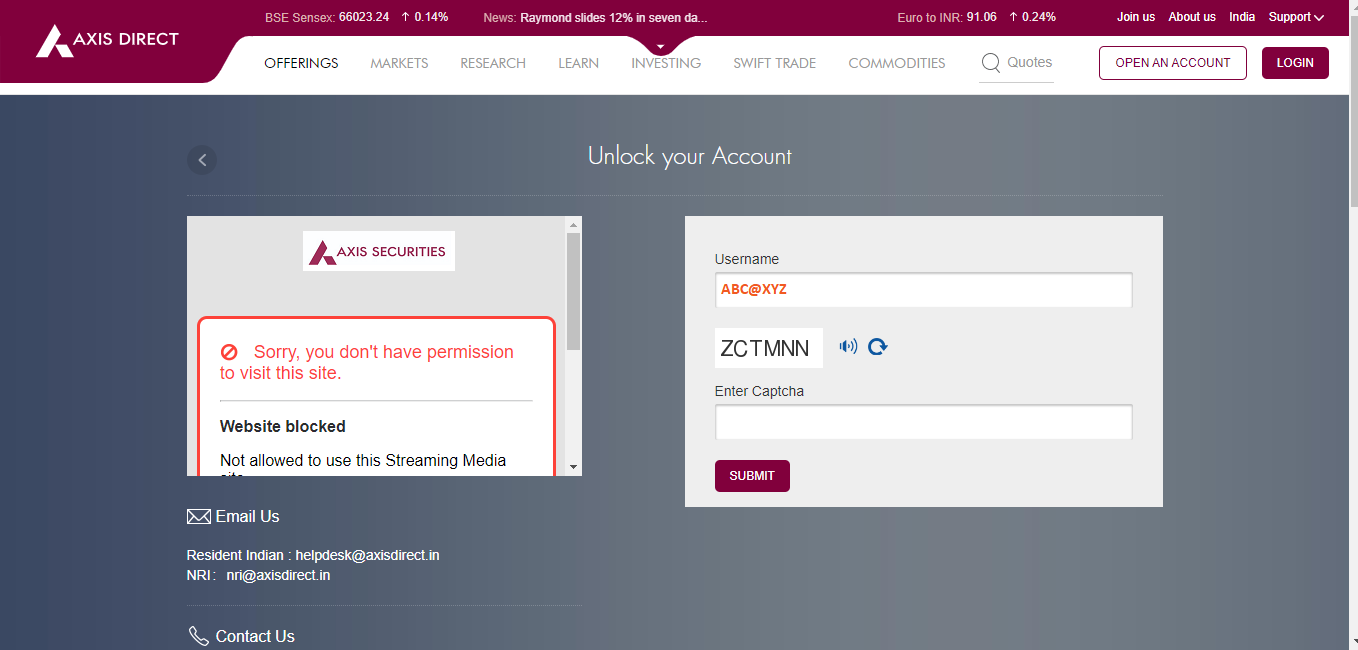
Step 3: Enter your DOB in DD/MM/YYYY format, your PAN and then click on ‘SUBMIT’
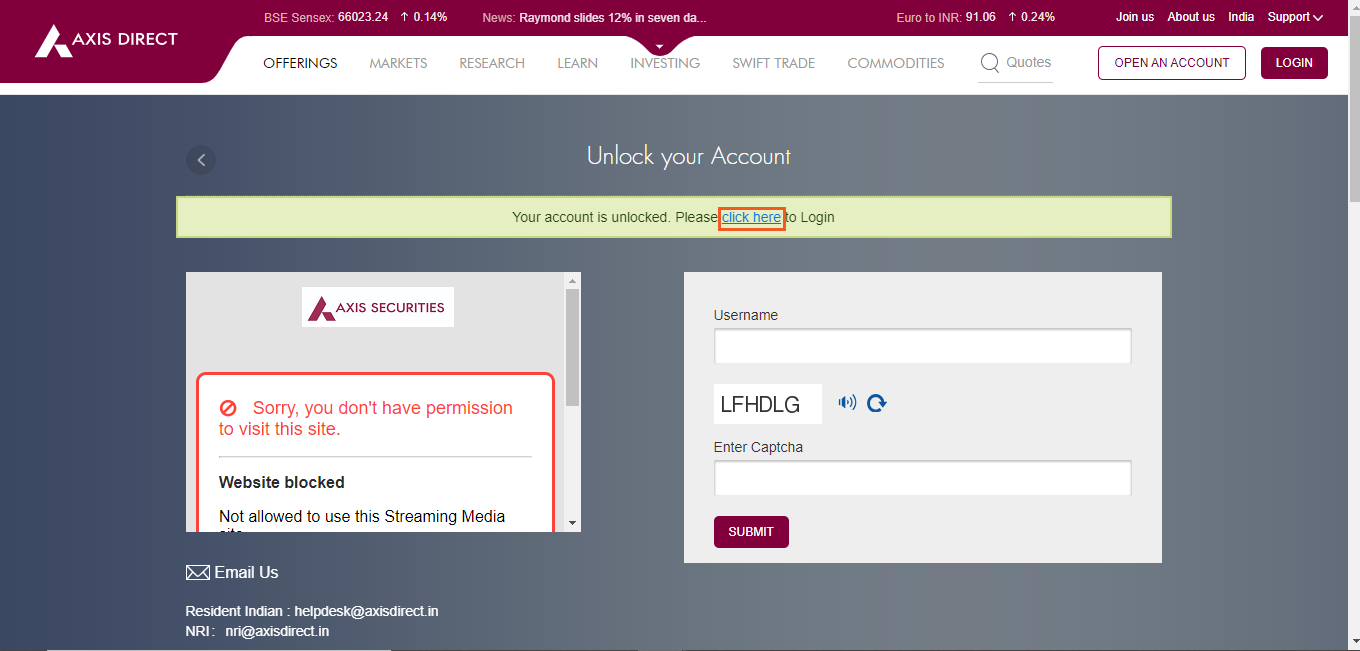
Step 4: Your account is unlocked now; you can click on the blue ‘Click here’ link to login using your credential
Click Here to download a document on this process.
END