

 India
India NRI
NRI
Pause feature of SIP gives you the flexibility to Pause and Restart your SIP Investment at any point of time. Please follow the steps given below to know the process to PAUSE and RESTART the SIP
Step 1: Click Here to login to your account, click on ‘SWIFT TRADE’ and then select ‘Equity’
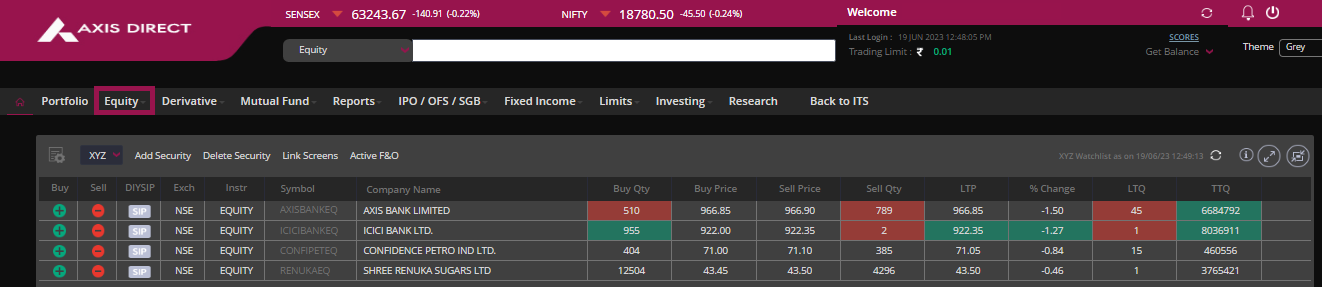
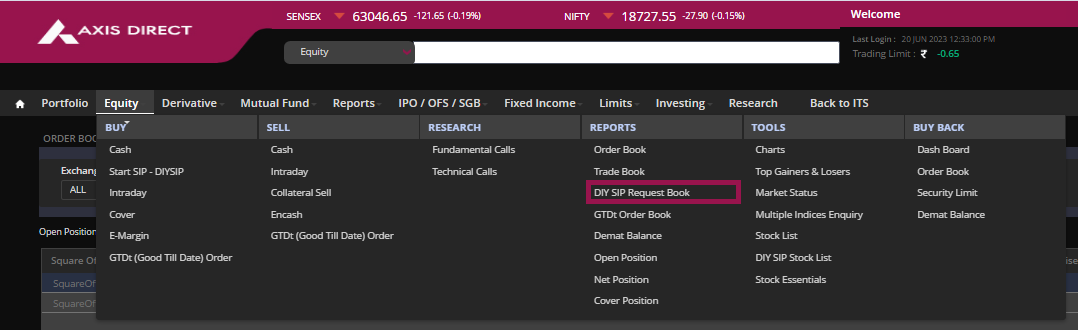
Step 2: Select ‘DIY SIP Request Book’ under the ‘REPORTS’ column
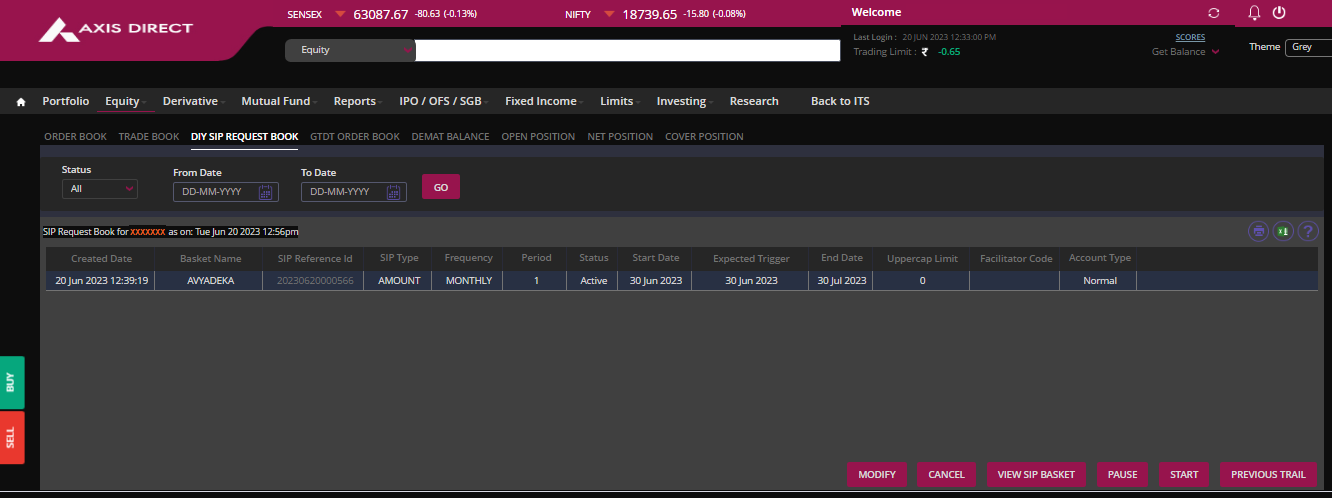
Step 3: Click on the desired SIP that you wish to Pause and click on the ‘PAUSE’ tab at the bottom of the screen
Step 4: Once Pasued you would get pop up confirming the SIP has been Paused
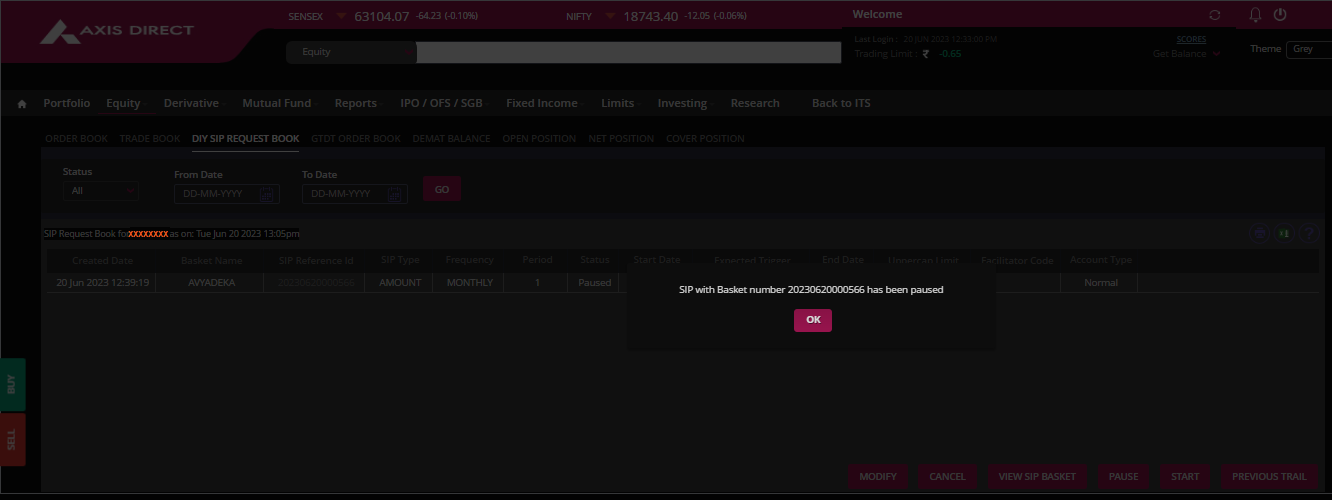
Step 5: Once you click on 'OK' on the Pop up the system will take you back to the 'DIY SIP REQUEST BOOK' wherein the status of your SIP will be displayed under the 'Status' column
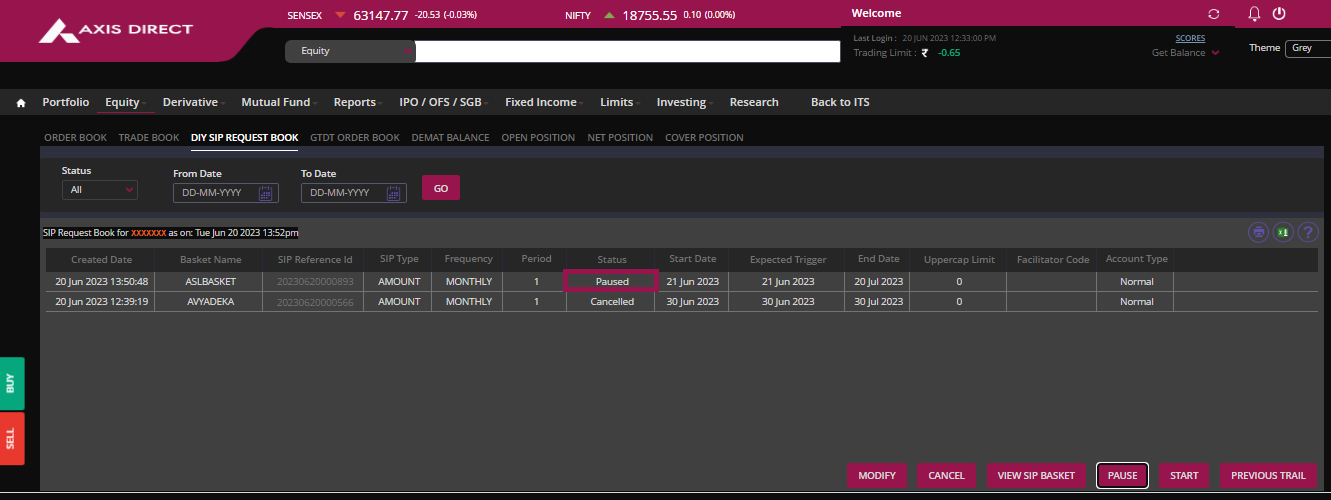
If you wish to RESTART a paused SIP
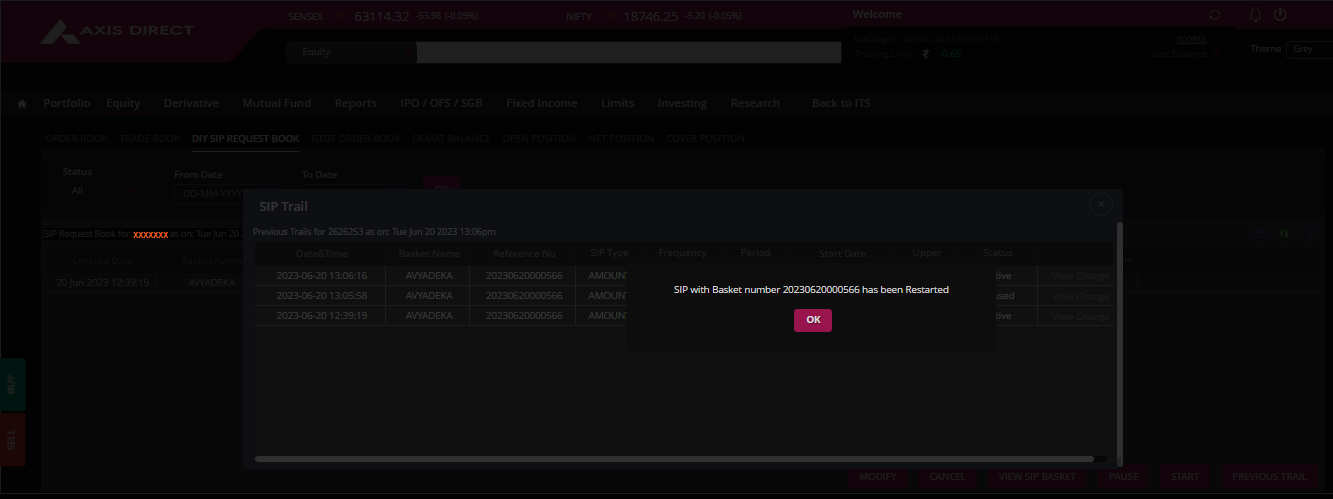
Select the the SIP you have paused and click on the 'START' tab to RESTART the SIP
You would get a pop up confirming the SIP has been restarted
Click Here to download a PDF document on the above process
END