

 INDIA
INDIA NRI
NRI
Yes. You can cancel your 'Active' SIP request at any time by following the process given below on the Swift Trade platform on our web portal:
Step 1: Click Here to login to your account, click on ‘SWIFT TRADE’ and then select ‘Equity’
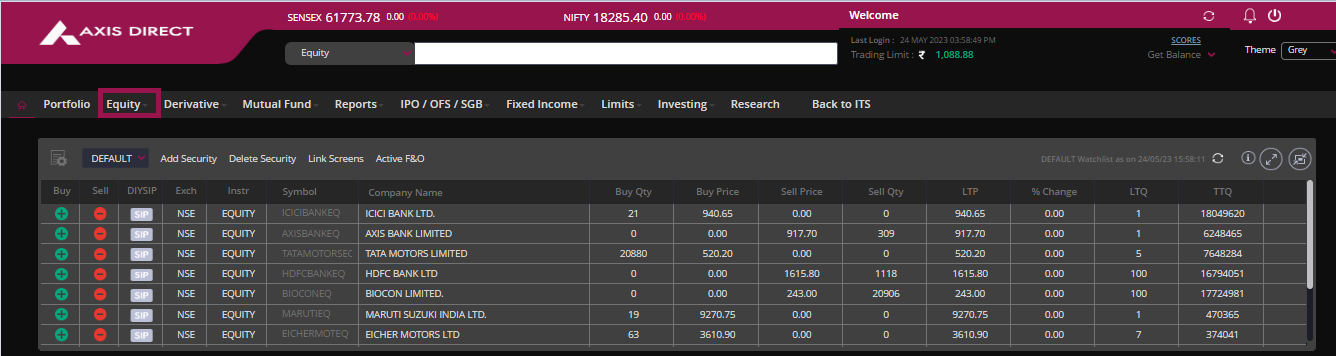
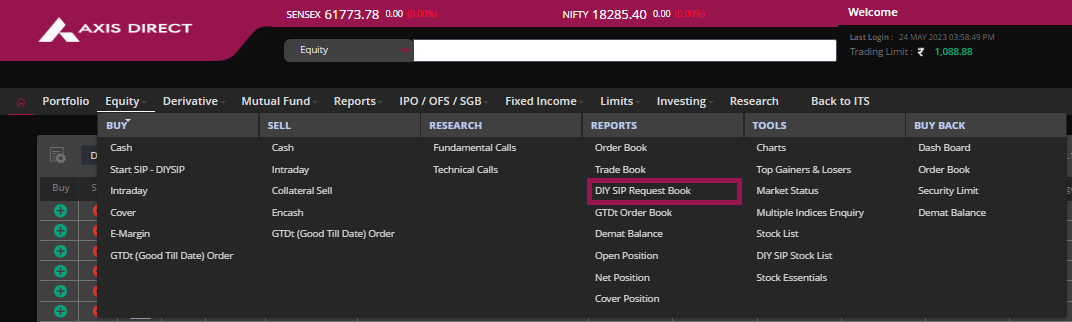
p>Step 2: Select ‘DIY SIP Request Book’ under the ‘REPORTS’ column
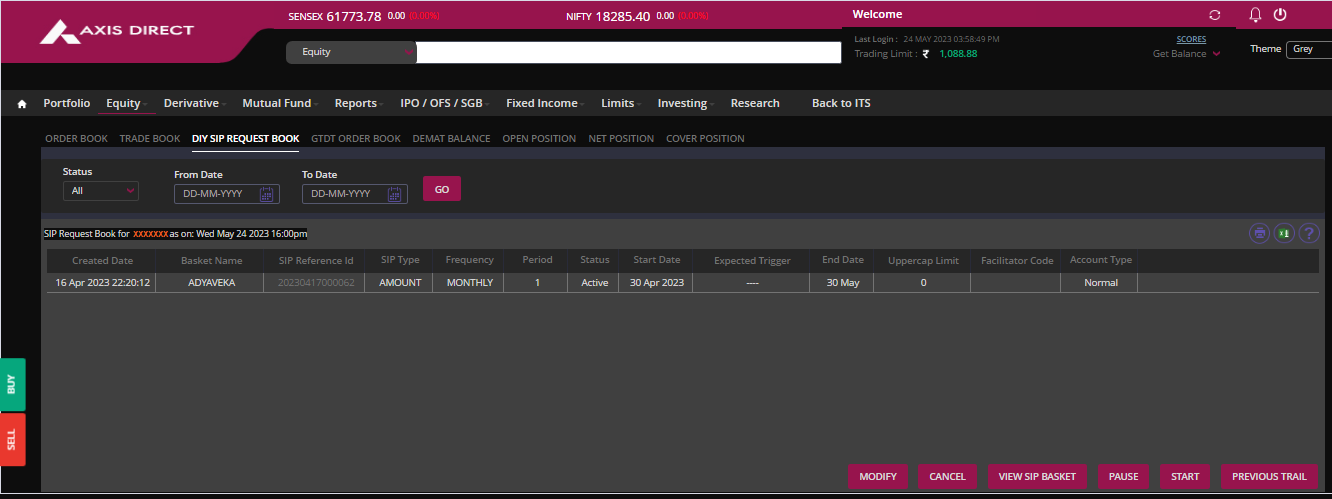
Step 3: Click on the desired SIP that you wish to cancel and click on the ‘CANCEL’ tab at the bottom of the screen
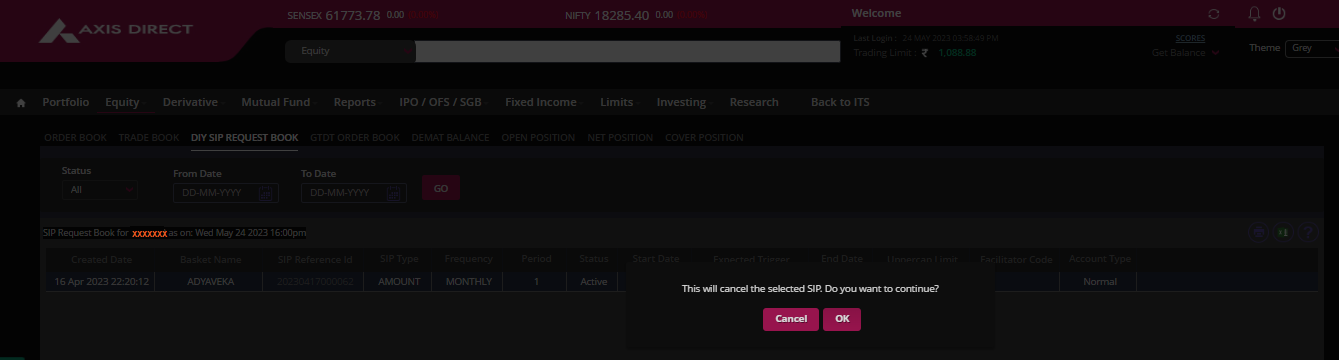
Step 4: Click on ‘OK’ to proceed
Click Here to download a PDF document on this process.
END